Dentrist
Founding offer: the first 50 labs get 6 months free

Dentrist

One platform

  • LMSCases & production
  • CRMClinics & dentists
  • AccountingFinance & books

Run your dental lab like clockwork — from order to delivery

Dentrist connects your clinics, technicians, and finances in one bilingual workspace — so every case moves forward, every invoice gets paid, and nothing slips through the cracks.

  • 6 months free
  • No payment required
  • Arabic & English
Dentrist
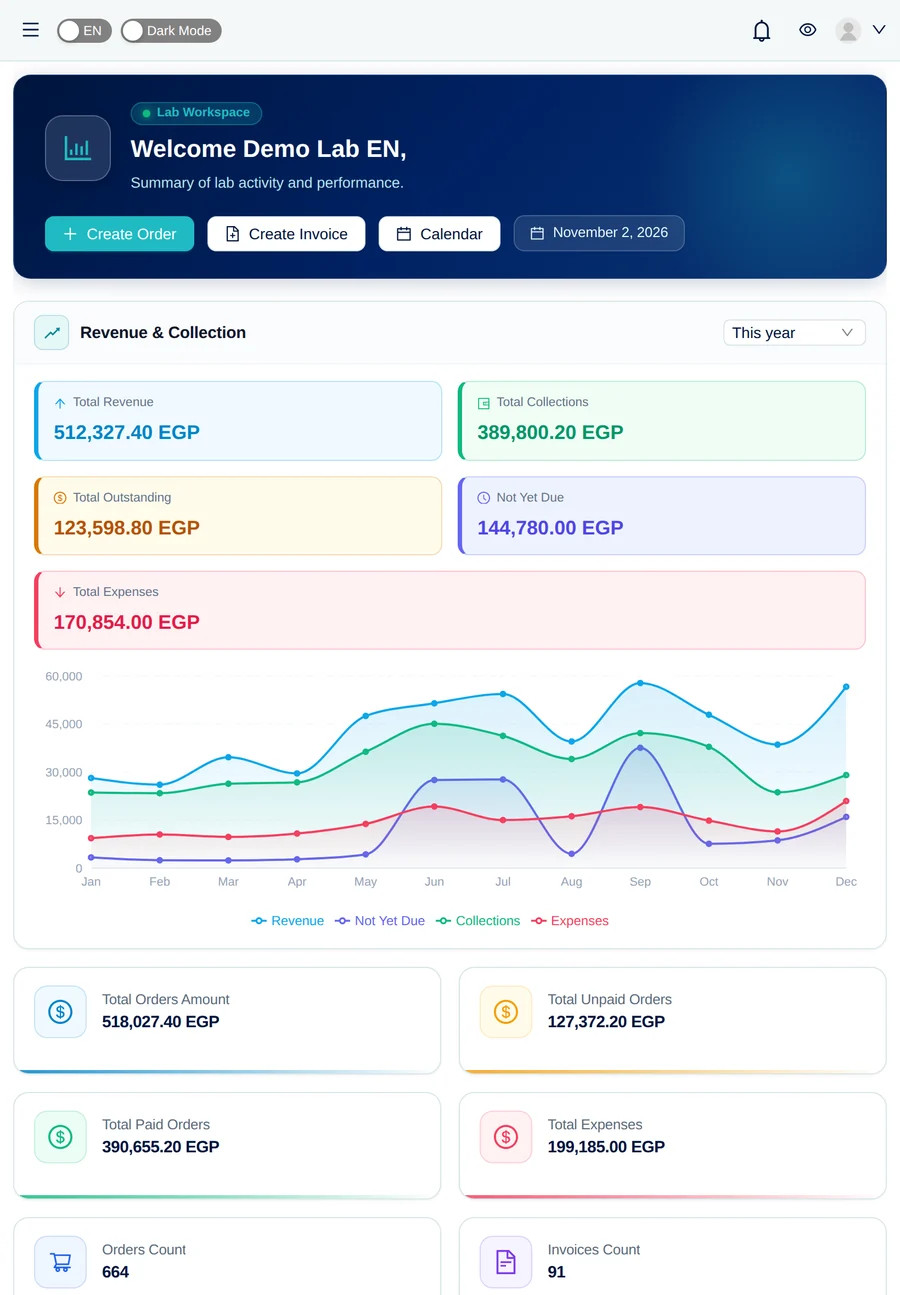
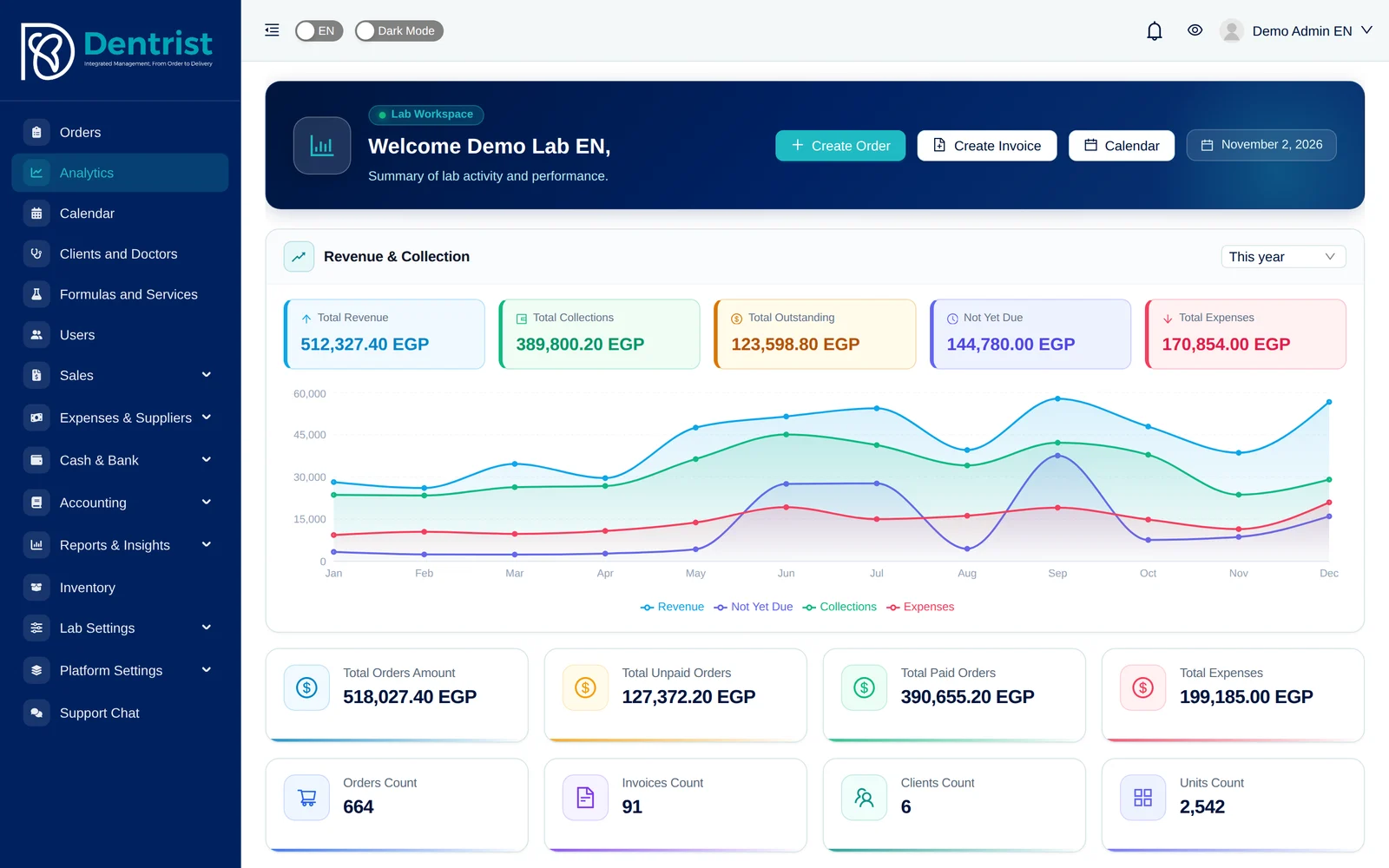
Dentrist lab dashboard showing revenue, collections, and order counts

Case #1042 · Zirconia crown

Quality control passed

custom workflow, shaped to your lab
Adjustable
accounting — invoices post to your books automatically
Auto
access from phone, tablet, or desktop
24/7
automatic cloud backups
Daily

LMS · CRM · Accounting

Three systems. One platform.

Most labs juggle a production tracker, a client spreadsheet, and separate accounting software. Dentrist replaces all three with one connected system — enter data once and it flows everywhere.

  1. 1The clinic sends a case

    CRM

    Customer Relationship Management

    Keep every clinic and dentist relationship organized and growing.

    • Clinic and dentist profiles with full order history
    • Client-specific pricing, statements, and balances
    • A clinic portal for sending cases and tracking progress
  2. 2Your lab produces it

    LMS

    Lab Management System

    Run production end to end — every case, every stage, every technician.

    • Case intake to delivery with 70+ statuses across 7 stages
    • Calendar, due dates, and rush-case tracking
    • Technicians, branches, catalog, and delivery centers
  3. 3Your books update themselves

    Accounting

    Complete financial management

    Real accounting built in — not a bolt-on invoicing tool.

    • Invoices, payments, expenses, and client wallets
    • Chart of accounts, journal entries, and bank reconciliation
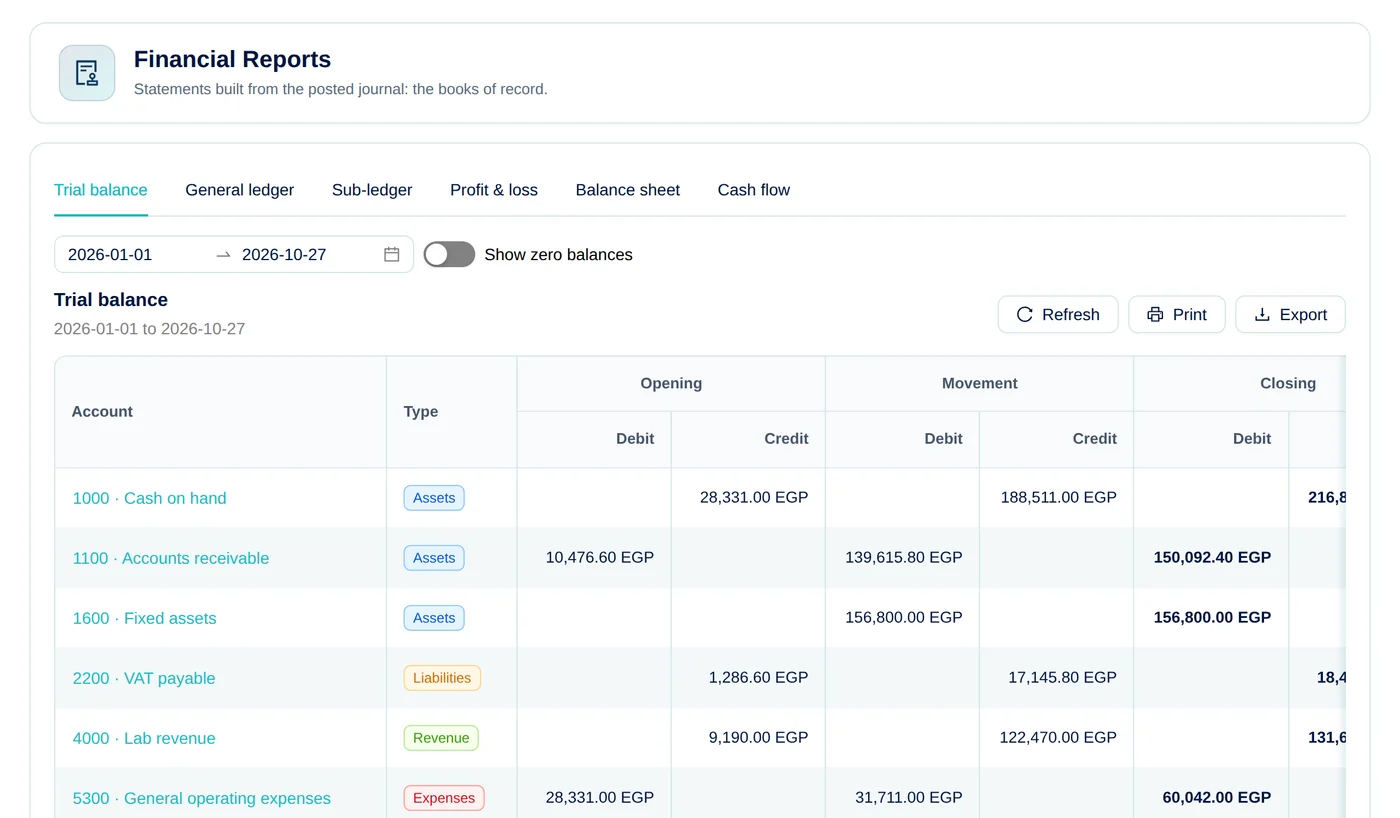
    • Trial balance, aging reports, lab costing, and taxes

One Dentrist workspace

A clinic sends a case (CRM), your team produces it (LMS), and the invoice posts to your books automatically (Accounting). No integrations, no double entry.

Why labs switch to Dentrist

Less chasing. More crafting.

Spend your day on beautiful restorations — not on phone calls, spreadsheets, and lost paperwork.

Dentrist
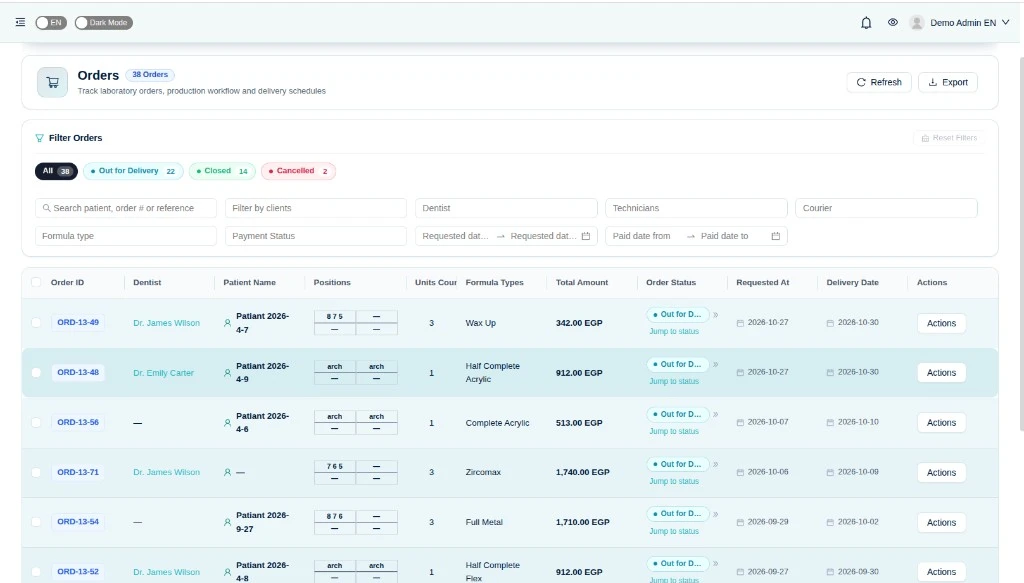
Dentrist orders list with filters, revenue totals, and order statuses
LMS · Orders & workflow

See every case, at every stage, in real time

Shape the workflow your lab actually follows — intake, design, try-in, manufacturing, quality control, and delivery. Jump a case to any status and keep the whole team on the same page.

  • Custom statuses that match how your lab really works
  • Calendar and due dates that keep rush cases in sight
  • Instant notifications when a case needs your attention
Dentrist
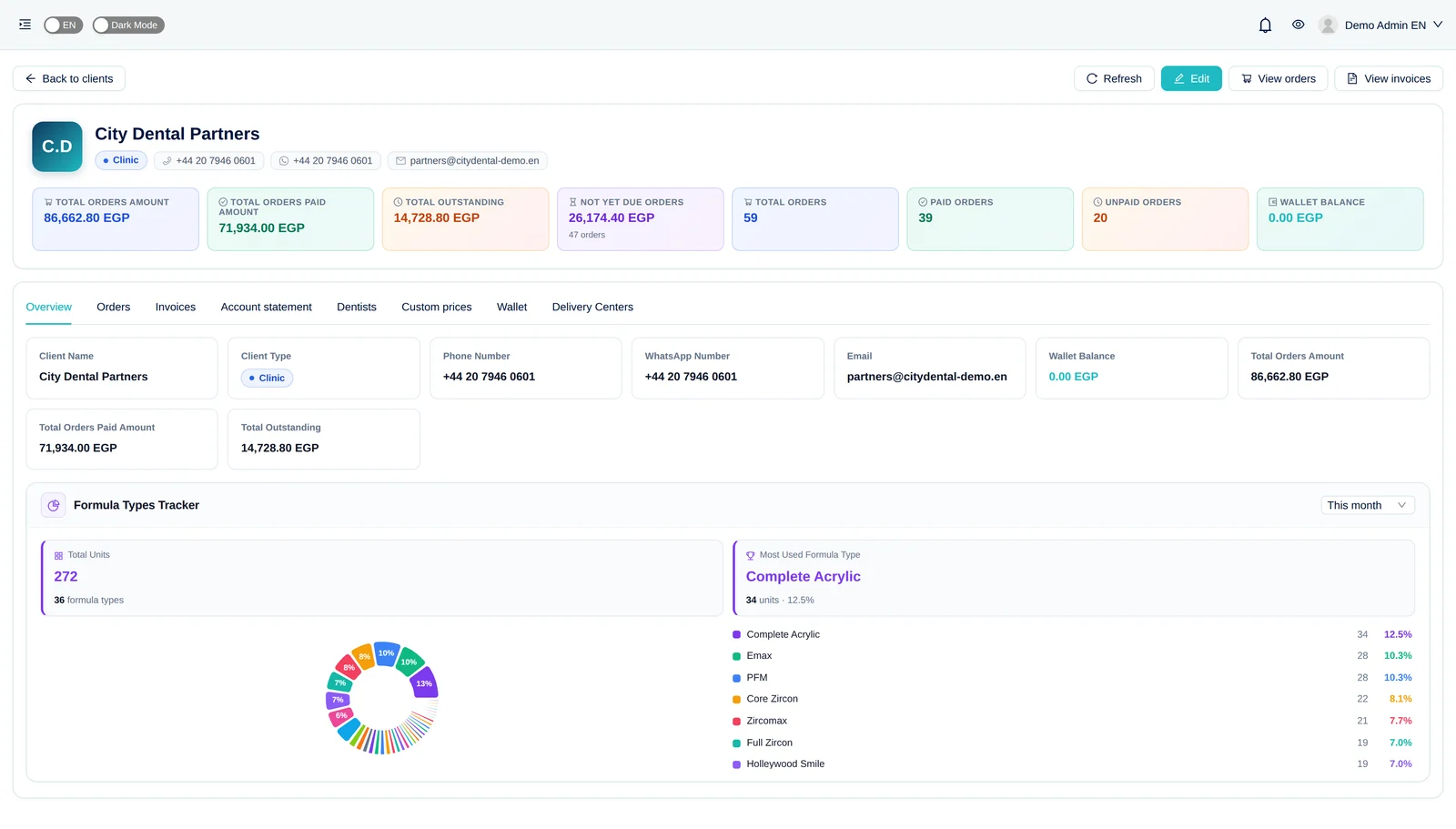
Clinic account statement in the Dentrist clinic portal
CRM · Clinic portal

Give your dentists a window into the lab

Clinics send new cases, follow progress, and review invoices from their own portal — fewer calls for you, happier clients for them.

  • Dentists submit cases with every detail up front
  • Live order tracking and shareable invoice links
  • Statements and balances that are always up to date
Lab Management System (LMS)

Run production end to end — every case, every stage, every technician

Dentrist follows each case from the moment it arrives to the moment it's delivered. Your team always sees what's due, who's working on it, and what comes next — no whiteboards, no lost job tickets.

Dentrist
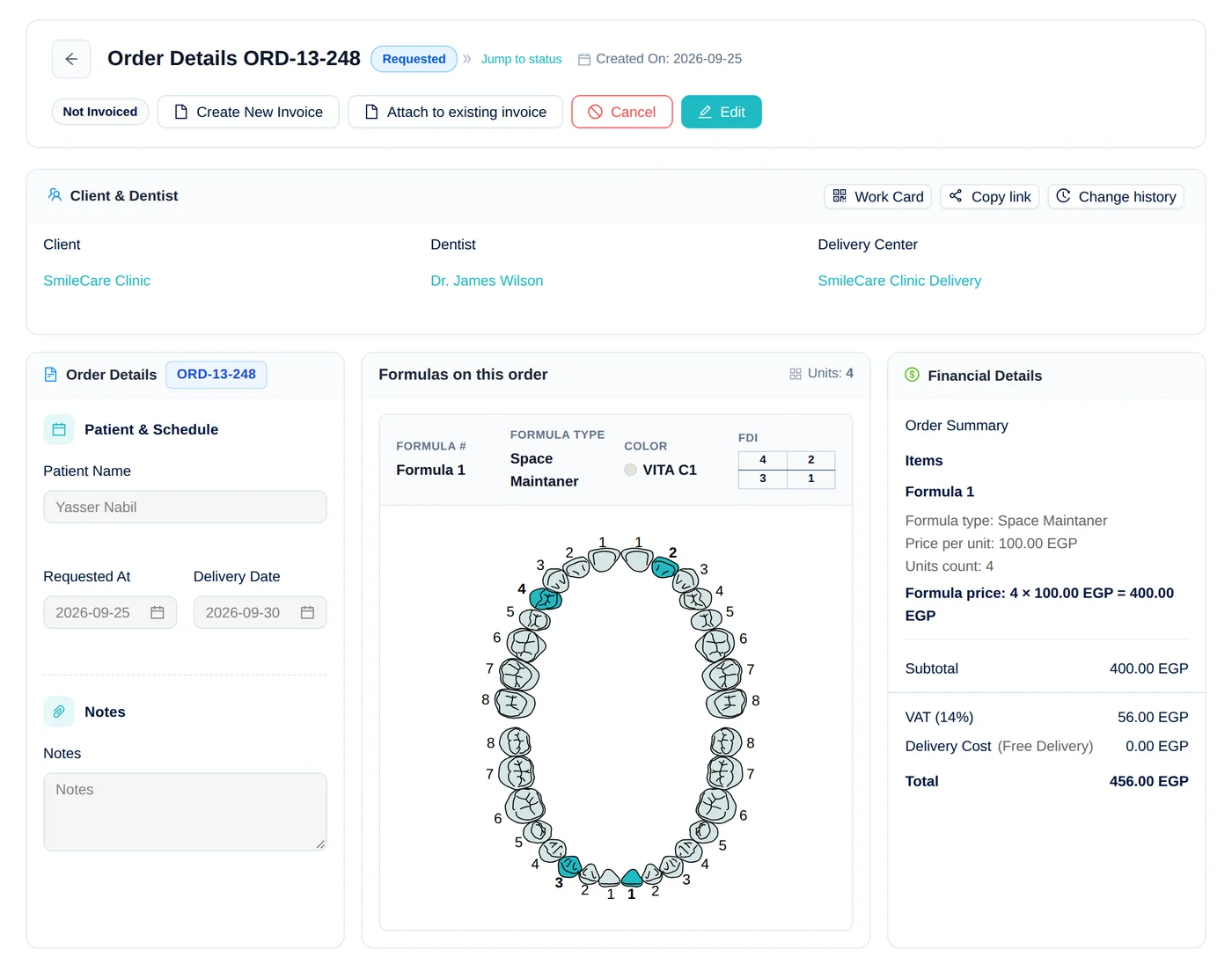
Dentrist order details with tooth chart, formulas, and pricing

Case ORD-13-248

Zirconia crown · Due tomorrow

  1. Intake
  2. Design
  3. Try-in
  4. ManufacturingIn progress
  5. Quality
  6. Delivery
Built-in 3D viewer

Open every scan right inside the case

Intraoral scans and designs attached to an order open in the browser in one click — no exocad, no Meshmixer, no downloading files to check a margin.

  • .stl
  • .ply
  • .obj
  • .zip
  • STL, PLY, and OBJ models, plus ZIP files with several parts
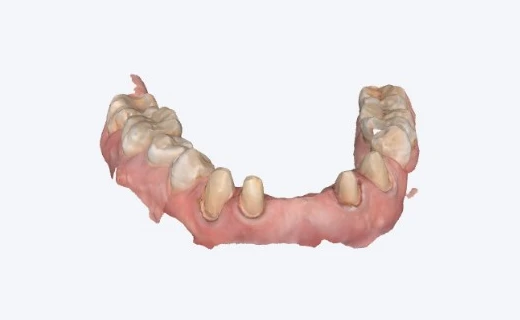
  • Full-color PLY scans show real gum and tooth shades
  • Rotate, pan, zoom, and switch to wireframe
  • Show or hide each part of a multi-file case
PLY · Color scanWireframe
Full-color PLY intraoral scan shown in the Dentrist 3D viewerOpen in 3DDrag to rotate · Scroll to zoom
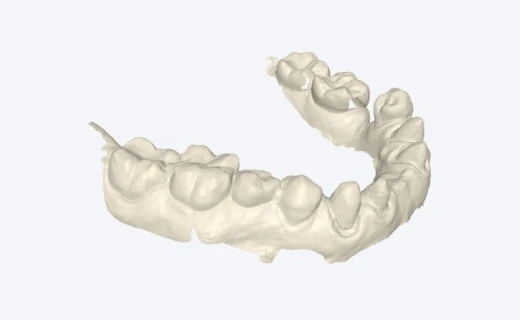
STL · ModelWireframe
Lower-arch STL model shown in the Dentrist 3D viewerOpen in 3DDrag to rotate · Scroll to zoom
Case chat

Talk about the case right where the case lives

Every order has its own chat. Your lab and the clinic settle shades, margins, and remakes next to the tooth chart and files — no more digging through WhatsApp groups.

  • Two channels per case: a private team chat and a conversation with the clinic
  • @mention a technician or dentist to pull them straight in
  • Send photos, videos, and STL or PLY scans — previewed inside the chat
  • Instant notifications that open the exact conversation
ORD-13-248 · Zirconia crowns
Clinic conversation2Internal (team)
S
Dr. SaraClinic10:24

Patient would like the upper crowns a little lighter — A1 instead of A2.

A
AhmedTechnician10:31

@dr.sara noted, I'll adjust before glazing. Updated design attached.

upper-crowns-v2.stl3.4 MB
Write a message… type @ to mentionSend
Internal note

Check the margin on 14 before milling.

Every case follows one clear path

  1. 1

    Case received

    Sent from the clinic portal, or logged by your team with tooth chart, shade, and files.

  2. 2

    Assigned & scheduled

    Pick the technician and due date — the calendar keeps the whole bench in view.

  3. 3

    Produced & checked

    Design, try-in, manufacturing, and quality control, with every change recorded.

  4. 4

    Delivered

    Routed through a delivery center, handed over, and invoiced straight from the order.

Cases & orders

  • Tooth chart with formulas, shades, and units
  • Patient details, notes, and file attachments
  • Full change history on every order
  • Create an invoice straight from an order

Custom workflows

  • 70+ statuses across 7 production stages
  • Choose and reorder the statuses your lab uses
  • Jump any case straight to the right step
  • Try-in rounds tracked through to the final fit

Scheduling & delivery

  • Calendar view of every due date
  • Live orders tracker on the dashboard
  • Delivery centers for pickup and drop-off
  • Shareable order tracking links

Technicians & team

  • Assign technicians to each case
  • Custom roles and permissions
  • Multiple branches in one account
  • Activity log of who did what, and when

Formulas & catalog

  • Formula types with your own price list
  • Colors and shade guides
  • Units and materials
  • Production cost per formula type

Insights & access

  • Real-time notifications for new cases and updates
  • Dashboards for orders, revenue, and KPIs
  • Work from phone, tablet, or desktop
  • Secure cloud storage with daily backups
Customer Relationship Management (CRM)

Every clinic, every dentist, every relationship — in one place

Know your clients the way your best account manager does. Profiles, order history, pricing, and balances live together — and clinics get their own portal to send cases and follow up without picking up the phone.

  • Clinic & dentist profiles
  • Client-specific pricing
  • Clinic portal
  • Statements & wallets
SC

Smile Care Clinic

Cairo · 3 dentists

Active client
Open cases
6
Orders this year
214
Balance due
3,250.00

Dentists

  • MADr. Mona Adel96 cases
  • KFDr. Karim Fathy71 cases
  • SNDr. Sara Nabil47 cases
Custom price list · 12 formula typesView statement

New case from the clinic portal

Dr. Mona Adel · E.max veneers × 4

From first case to loyal client

  1. 1

    Add the clinic

    Create the clinic profile, its dentists, and contact details in a minute.

  2. 2

    Set their pricing

    Give each client its own prices and discounts per formula type.

  3. 3

    Invite them to the portal

    Dentists send cases, track progress, and open invoices on their own.

  4. 4

    Grow the relationship

    Order history, statements, and balances show who your best clients are.

Clinic profiles

  • Clinic profiles with contact details
  • Full order history for each clinic
  • Quick client search when creating orders
  • Activity log of every change

Dentists

  • Multiple dentists under each clinic
  • Cases tracked per dentist
  • Dentist profiles with full change history
  • Patient names kept on every case

Pricing & discounts

  • Client-specific prices per formula type
  • Discounts per order and invoice
  • Prices applied automatically to new orders
  • Lab costing to see the real margin per client

Clinic portal

  • Dentists send cases with every detail up front
  • Live progress tracking for every case
  • Invoices and statements available any time
  • Secure invitations for clinic users

Balances & statements

  • Account statements for each clinic
  • Client wallets for prepayments and credits
  • Remaining balance on every invoice
  • Receivables aging to see who owes what

Communication & reports

  • Shareable order and invoice links
  • Instant alerts when clinics send or update cases
  • Arabic and English for your team and clients
  • Revenue and collection reports by client
Built-in accounting

Real accounting, built into your lab — not bolted on

Every delivered case, invoice, payment, and expense posts to double-entry books automatically. You see live numbers every day, and your accountant gets a proper general ledger — no separate accounting program, no re-typed entries.

  • Double-entry ledger
  • Automatic posting
  • Tax & e-invoicing
  • CSV & Excel exports
Dentrist
Dentrist financial reports showing the trial balance by account

Journal entry posted

Invoice ORD-13-248 · automatic

AccountDebitCredit
Accounts receivable456.00
Lab revenue400.00
VAT payable56.00

Enter it once — it lands in the books by itself

  1. 1

    Case delivered

    Revenue and the cost of the case are recognized.

  2. 2

    Invoice issued

    The receivable is tracked on the clinic's account.

  3. 3

    Payment collected

    Cash, bank, or the client wallet updates instantly.

  4. 4

    Reports updated

    Trial balance, P&L, and balance sheet stay live.

Sales & receivables

  • Invoices with partial payments
  • Client wallets and statements
  • Discounts and client-specific pricing
  • Receivables aging

Expenses & suppliers

  • Expenses organized by type
  • Supplier bills and payables aging
  • Technician settlements
  • Salaries

Cash & bank

  • Cash boxes and bank accounts
  • Bank statement import (CSV / OFX)
  • Bank reconciliation
  • Payment methods

Books & compliance

  • Chart of accounts and journal entries
  • Fixed assets
  • Period close and multi-currency
  • Tax and e-invoicing

Reports & insights

  • Trial balance and general ledger
  • Profit & loss, balance sheet, cash flow
  • Lab costing for every case
  • Revenue, collections, and financial insights

Ready for your accountant

  • Read-only accountant role
  • Export every report to CSV or Excel
  • Roles and permissions for finance staff
  • Turn each finance module on or off
Dentrist order details with tooth chart, formulas, and pricing
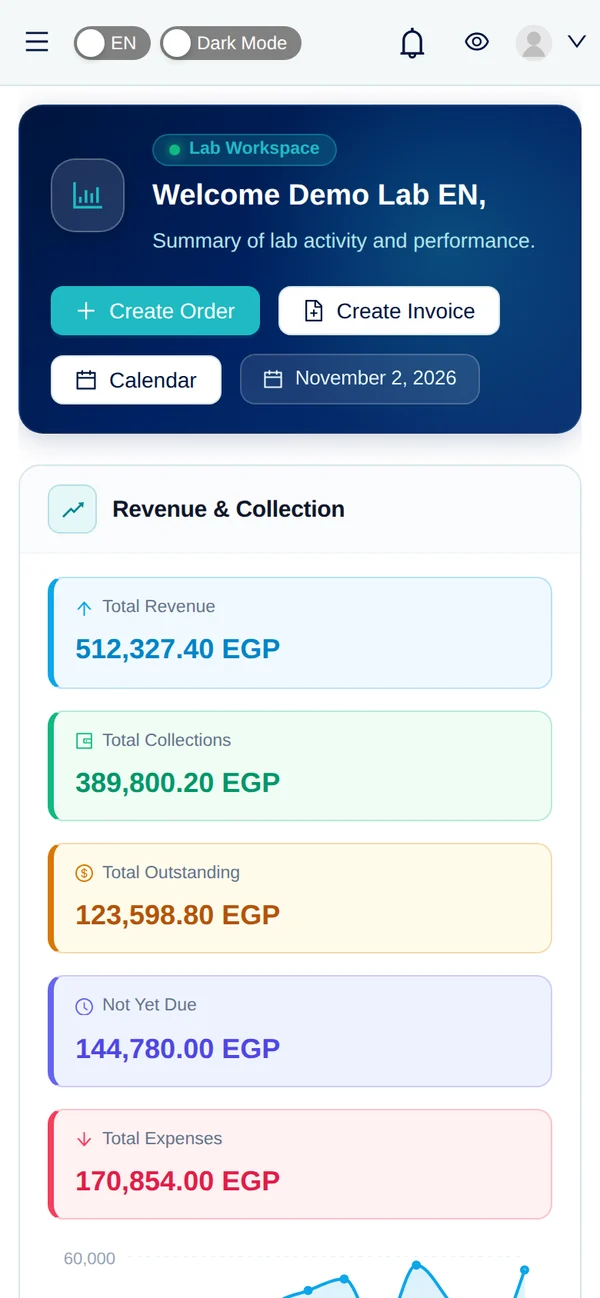
Dentrist dashboard on a tablet
Dentrist dashboard on a mobile phone
  • Laptop
  • Tablet
  • Mobile

About Dentrist

Built for dental labs that move fast

Dentrist brings lab operations into a single bilingual platform — so managers, technicians, and clients share the same source of truth.

  • Arabic and English ready for your team and clients
  • Designed around real lab workflows, not generic CRM templates
  • Secure accounts with roles, branches, and activity history
  • Fully responsive — run your lab from a laptop, tablet, or phone

How it flows

From the chair, to the bench, to the door

One continuous path that every case follows — so nothing gets lost between the clinic, the lab, and delivery.

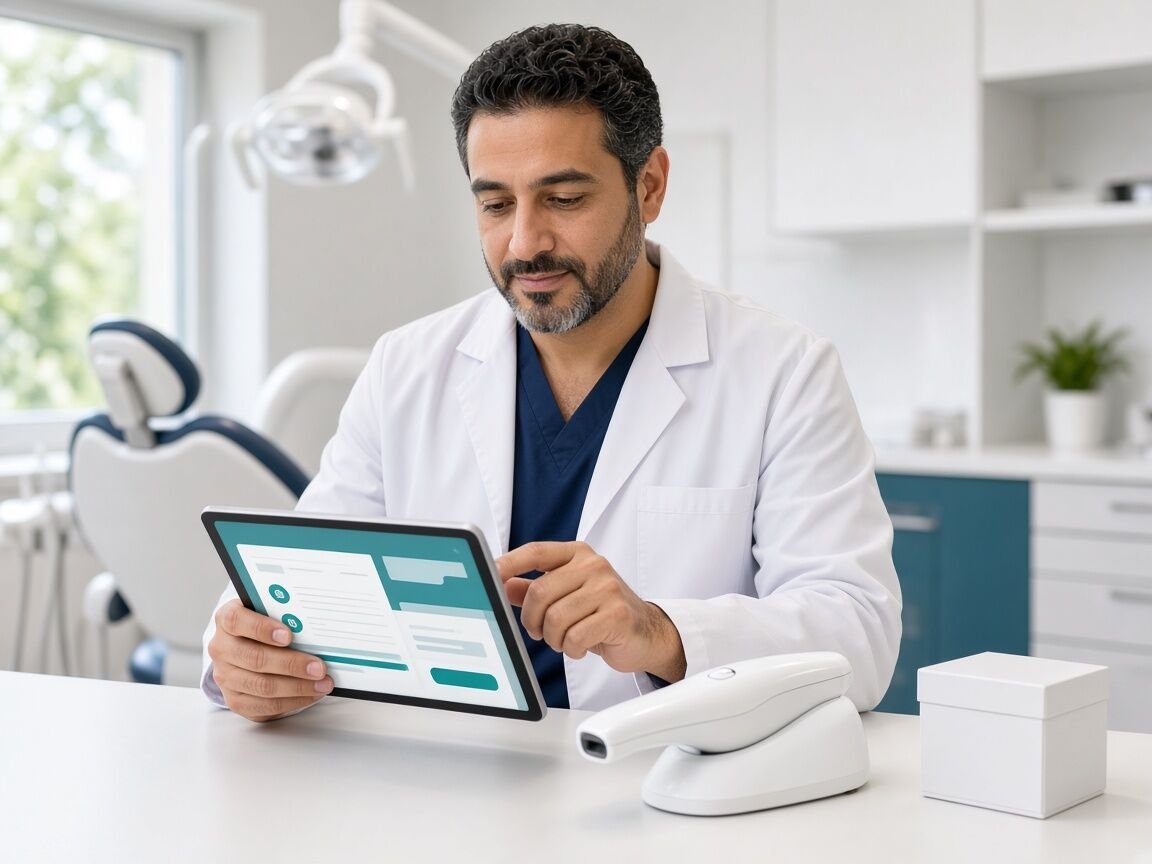
  1. Dentist sending a new case to the lab from a tablet01

    Receive the case

    Clinics send orders with specs, shade, and due date — or your team captures them in seconds.

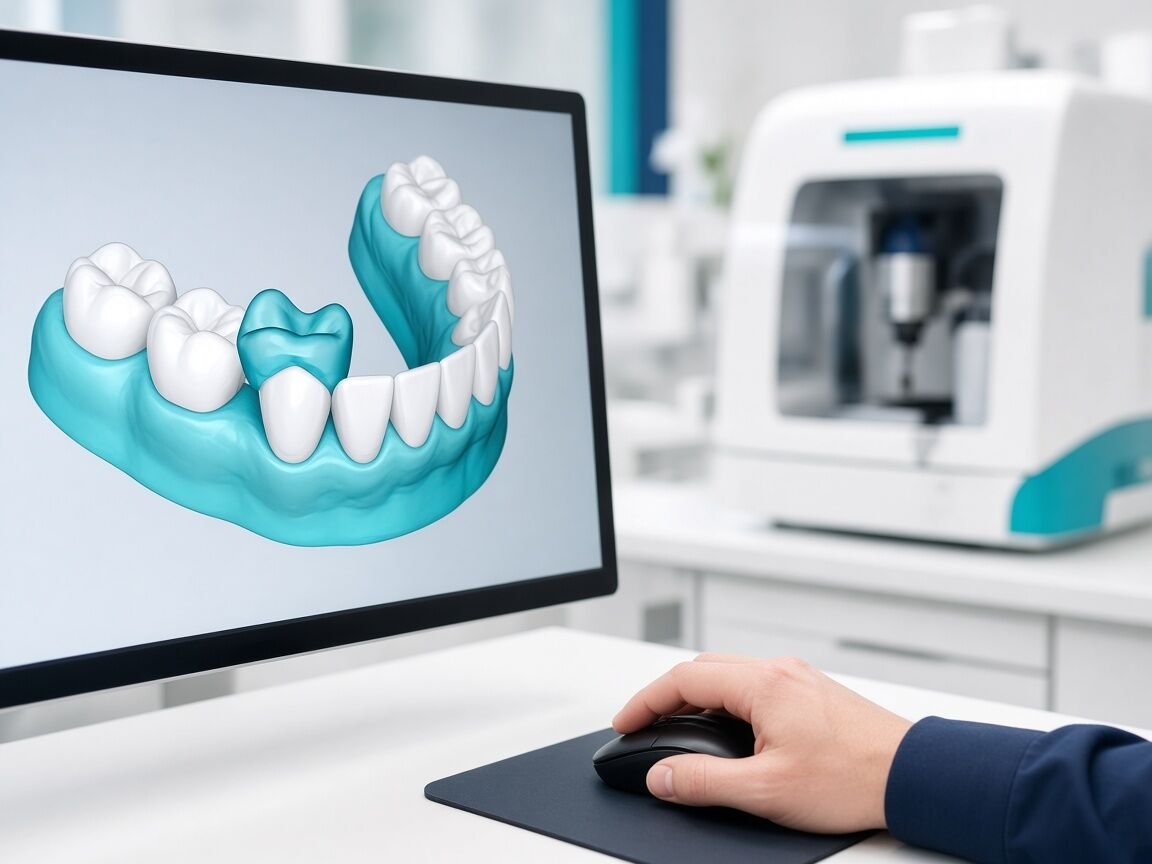
  2. 3D crown design on a CAD workstation with a milling machine behind02

    Design & try-in

    Move through design approval and try-ins with every revision tracked, so the final fit is right.

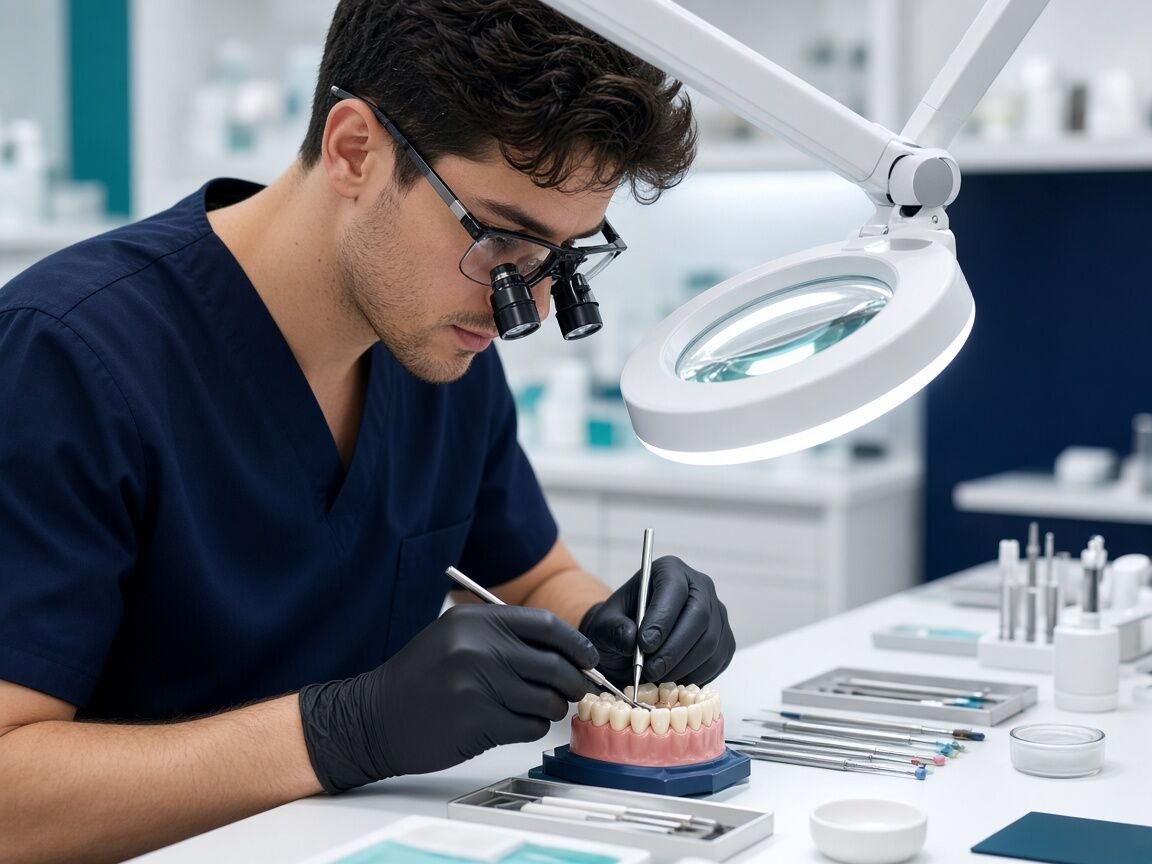
  3. Technician inspecting finished crowns under a magnifier lamp03

    Manufacture & check quality

    Follow production on the calendar, run quality control, and catch rework before it leaves the lab.

  4. Courier handing a sealed case box to a clinic receptionist04

    Deliver & get paid

    Route finished cases through delivery centers, confirm the handover, and invoice the work instantly.

7 stages · 70+ statuses · shaped to your lab

  • Intake
  • Design
  • Try-in
  • Manufacturing
  • Quality
  • Delivery
  • Closure

Live demo

Try Dentrist with a live demo

Pick a perspective and open the portal with a fully prepared demo account — orders, invoices, clients, and delivery data included. Language follows your current site language.

Demo as a dental lab

Run the lab: manage orders, technicians, clients, invoices, delivery, and finances as the lab admin.

Demo as a dental clinic

See the lab from your clients' side: sign in as a clinic dentist to send cases, track orders, and review invoices.

Opens in a new tab and signs you into the demo account for this language.

Pricing

Choose your subscription plan

Compare plans, pick the one that fits your lab, then continue to signup.

Loading plans…